Graphkasten
Properties
tags
personalpersonal/pkm
created
06.09.2026, 10:41
modified
14.09.2026, 14:53
published
Empty
sources
Empty
topics
Empty
authors
Jakub
ai-assisted
No
- Graphkasten is a new, AI-native evolution of the Zettelkasten, designed for graph-centric note taking
- This system is designed to work primarily with Obsidian and its tools, but is usable with arbitrary software or agentic system
- Most people treat Graph View as nice little gimmick, in this system everything revolves around, specifically
- A global graph keeps the whole vault auditable and navigable
- A local graph gives you instant context around any single note
- The idea is that the connections between notes matter as much and even more than the notes themselves
- This approaches encourages heavy use of AI paired with easy human supervision thanks to the graph views and other tools
# Components Overview
- Graphkasten defines three things
- Design Pattern
- Specifies how to design and structure the notes content and the Obsidina vault
- Review Process
- Explains how to create and index a new notes and content into the second brain
- Insights
- Get insight into your second brain with Obsidian tools like Graph View, Bases, Tag Folders
- Design Pattern
# Design Pattern
- 4 primitives
- Folders
- Links
- Tags
- Frontmatter
# Folders
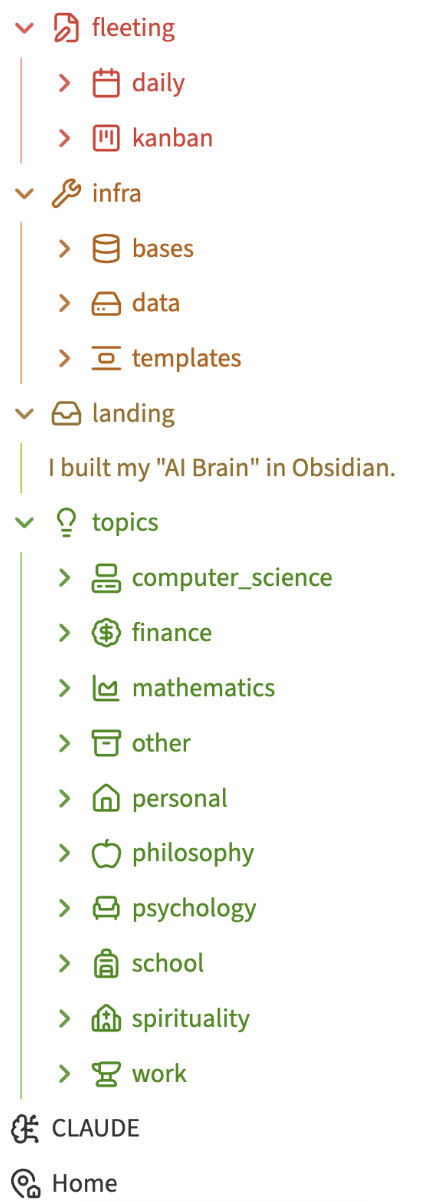
- The vault uses LIFT system and hence is split into four folders
- Landing
- Landing folder where all notes land before being sorted into three other folders
- Infra
- Obsidian plugins, scripts and data files
- E.g. bases, templates, data files (pdfs, mov, mp3, …)
- Fleeting
- Notes that are not supposed to make it into graph view
- Since these notes are time based
- Example daily notes, kanban notes, scratchpads
- Notes that are not supposed to make it into graph view
- Topics
- Contains all the areas of the interest
- Only notes from this folder are displayed in the Graph view
- Since these notes are defined by their topography
- Can have deep folder hierarchies
- E.g. finances, knowledge management, computer science, health
- Landing
# Links
- Links are the most important object in Graphkasten since they define the actual graph
- The key idea is to create links that are insightful and meaningful for your mind
- The main thing we are trying to prevent is over linking which pollutes the graph
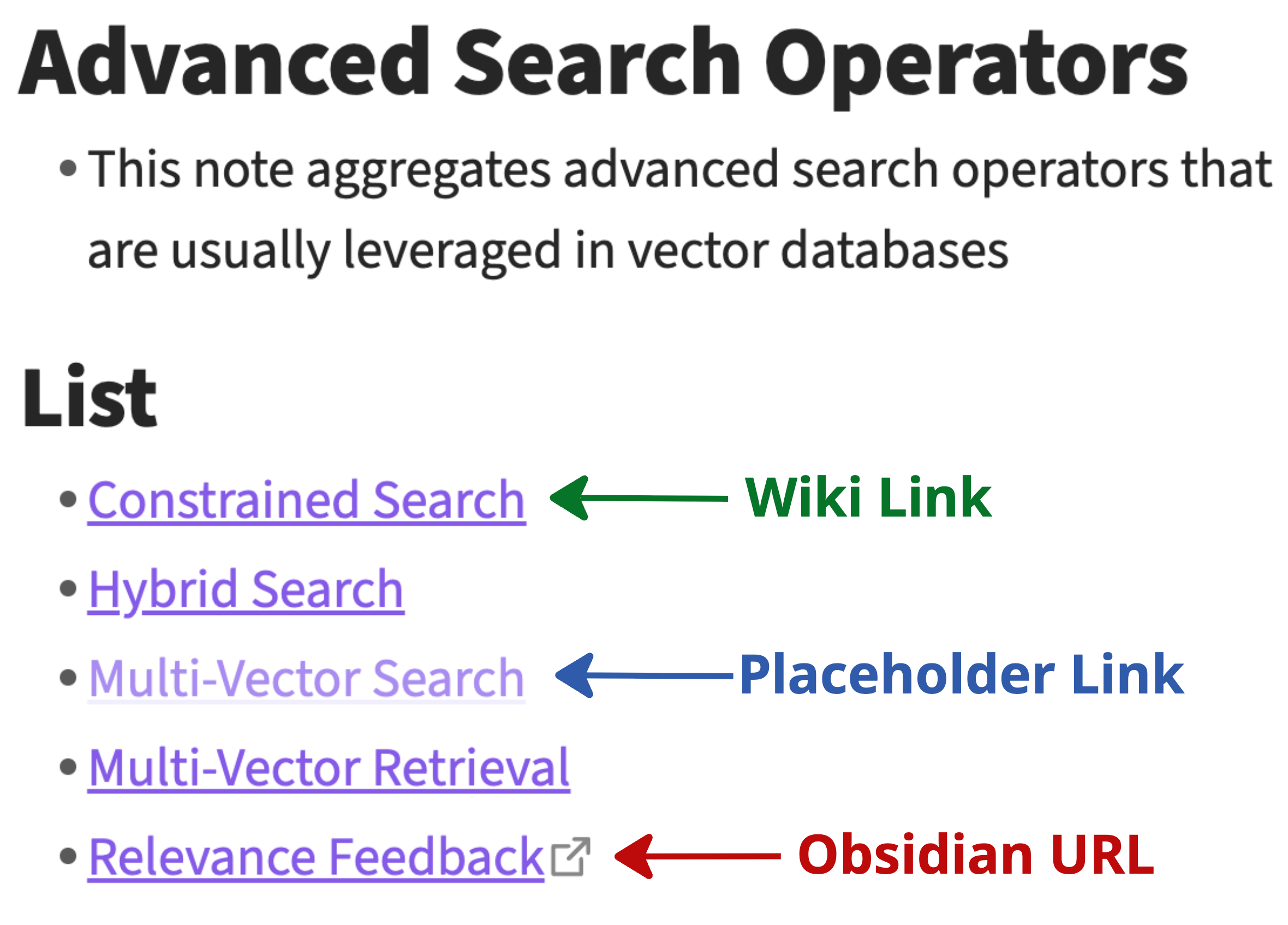
- You can still link nearly everything, but for non-important links use Obsidian URLs
- These allow you to click through link, but do not add edge to the graph
- It is good to start with links that mirror the natural hierarchy of the notes (such as in folder hierachy)
- Then modify the links as they please your mind
- Link types
- Wiki Links
- Placeholder Links
- Obsidian URLs
# Tags
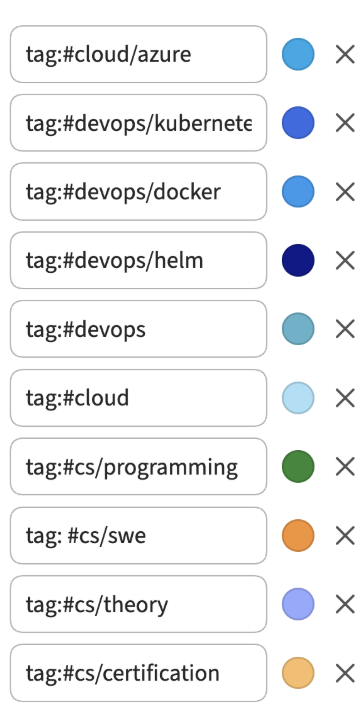
- Tags are used to define the topics in your vault
- Unlike folders, tags are naturally designed to be shallow in Graphkasten
- Only one level of nesting is allowed
- Tags are associated with the colour to highlight colour
# Frontmatter
- Track all the relevant metadata
- You can be as specific as possible with the metadata
- Have unify fields across the vault
- Use Obsidian templates for different types of frontmatter
# Review Process
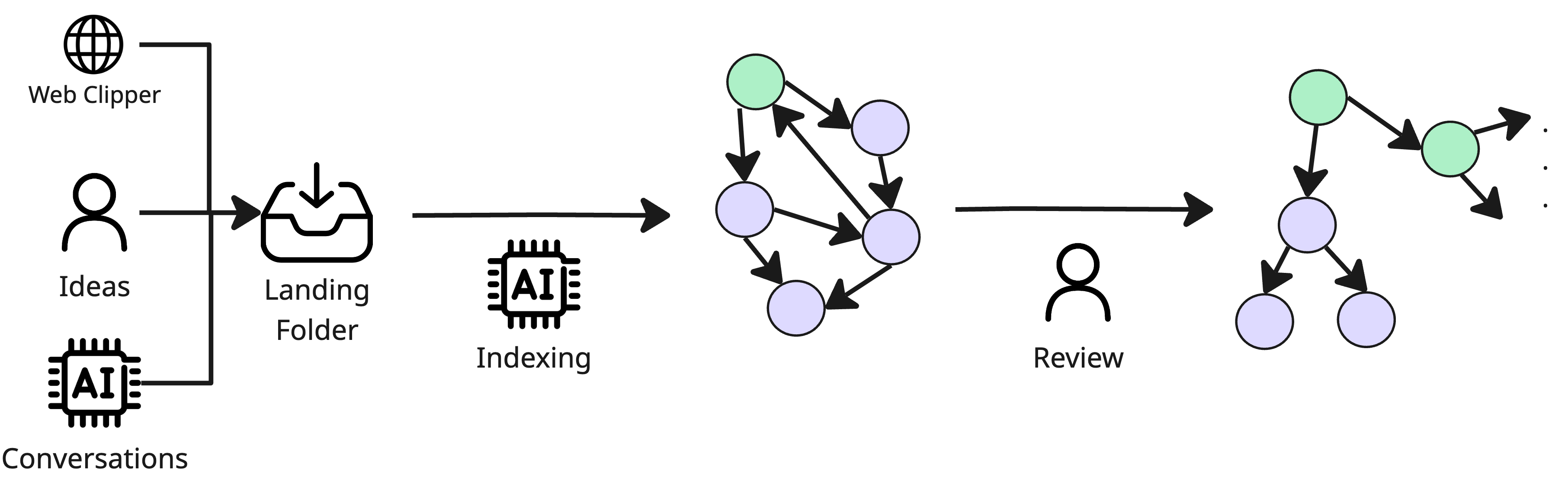
- Medallion architecture inspired review process
- Inbox → AI Indexes → Graph View → Human Review → Useful Graph View with correct tags
# Insights Extraction
# Global & Local Graph View
- Discover structure of ideas
- Use as a review tool after AI performs indexing
- Local graph provides context (neighbourhood) for each note
# Bases
- Use to get different views of your notes
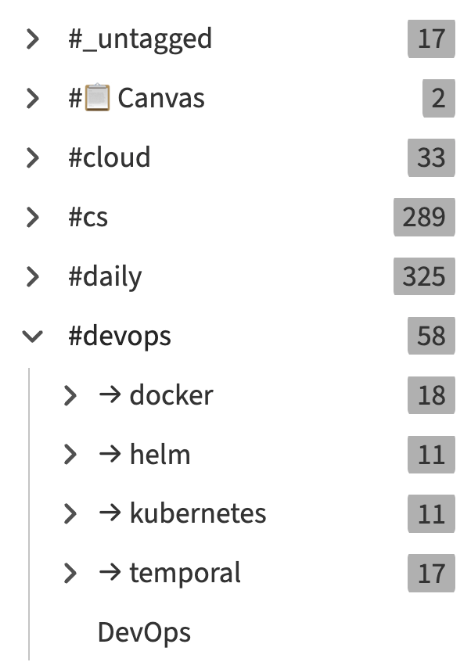
# Tag View
- Identify topics of interest
- Only two levels - parent and child
- Each tag is associated with the colour
- Creates natural clusters in graph view
- Tags have special view in the Obsidian
# Existing Systems That Do Not Cut It
- This section outlines existing system that I do not find sufficient
- Zettelkasten by Niklas Luhmann
- PARA & CODE by Triago Forte
- LLM-Wiki by Andrej Karpathy
- Open Knowledge Format by Google